
Intercom Assistant1.13.10 - Google Play
You'll be able to see results in few seconds.
Publisher Description
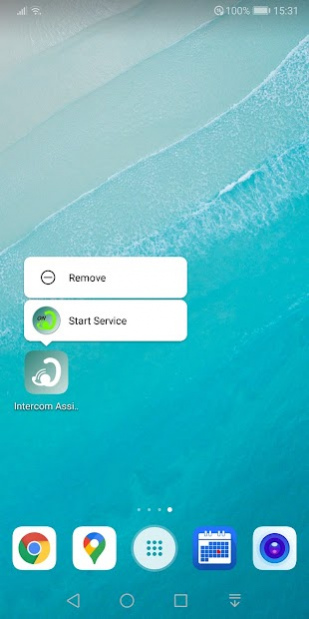
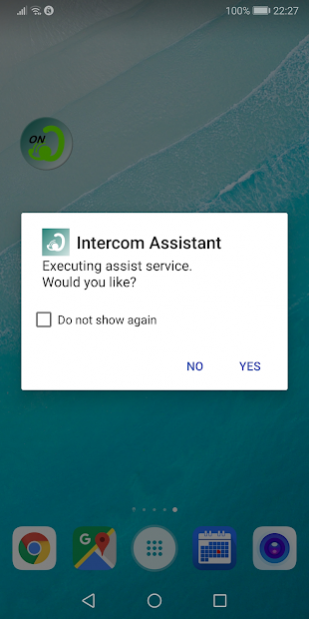
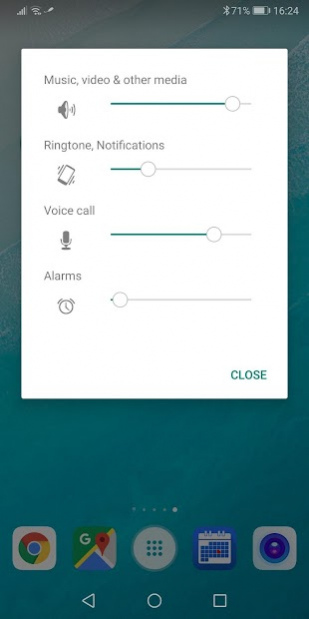
Do control the app to be used and the screen in conjunction with the intercom.
Intercom Assistant, can be done in one shot from the widget settings to use the intercom.
It is also possible to switch applications that use with Intercom by volume buttons.
Screen set in consideration of the use of the motorcycle can also be carried out.
■ Caution
+ Even if the assist function is active, volume change, application startup, application switching will not work during function setting.
+ Depending on the type of intercom device, it may take some time for the volume to change.
+ Applications can not be switched by the volume button until the volume is changed.
+ If application switching by the volume button does not work, please double click on it.
+ Application switching by the volume button will not work if an application (such as camera application) that assigns the volume button to another function is set as the startup application.
+ Since the automatic start of the application is restricted on Android 10 or later, it will be started by notification.
+ If Android 6.0 (Marshmallow) or higher has enabled "Bluetooth scanning" with "Location" sttings, you may not be able to correctly determine the intercom device connection.
+ When setting to suppress the consumption of power and memory (activation of suppression application) is being performed, It may not operate normally.
If you experience the following symptoms, connection not recognized display of notification area does not disappear etc. Please remove this application from subjects of consumption suppression.
■ Usage and functions
- Setting usage conditions -
+ Launch the application and set usage conditions in the service setting item.
Income Device is mandatory, be sure to set it.
Start-up application is optional.
If you are using Android 5.0 (Lollipop) or higher, please turn on "Apps whdth usage access".
If using Android 6.0 (Marshmallow) or higher, please turn on "Allow modify system settings" and "Do Not Disturb access" and "Permit drawing over other apps".
+ Add widgets to the home screen as necessary.
- Start the assist function -
+ When starting from an application
Launch the application and turn on or check the assistance service.
+ When starting from a widget
Click on the widget.
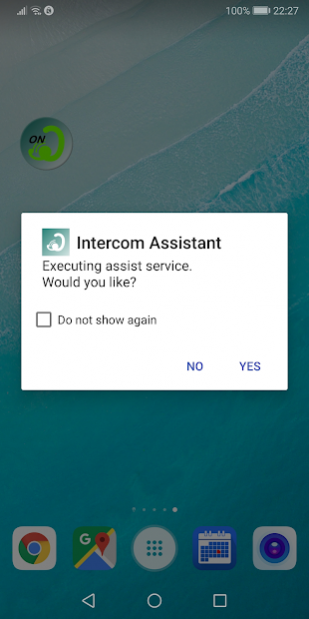
A confirmation dialog is displayed, so select Yes.
(Dialogs can also be hidden)
+ When starting from a shortcut (available on Android 7.1.1 or later)
Press and hold the app icon.
Click Start Service from the displayed shortcut menu.
The assist function enters the execution state and waits for intercom device connection.
When the connection of the intercom device is confirmed, the set application is started up.
Depending on the setting, the volume for the smart device is changed.
- End assist function -
+ When exiting from the application
Launch the application, turn OFF the assist service or uncheck it.
+ When exiting from the widget
Click on the widget.
A confirmation dialog will be displayed, so select Yes.
(Dialogs can also be hidden)
+ When exiting from the shortcut (available on Android 7.1.1 or later)
Press and hold the app icon.
Click Stop Service from the displayed shortcut menu.
Assist function is ended, Bluetooth is turned OFF (option).
The smart device volume returns to the state before using the application.
- Regard to switching by PLAY button -
Operated by double click.
Depending on the device, quick double click there is a thing to be ignored.
If this is the case, please click slowly twice within two seconds.
Does not work during the screen operation.
From the screen operation is completed, it will take effect after 5 seconds.
When can not be switched, the icon in the notification area will turn into a thin white.
■ Operation verification device
SYGNHOUSE B+COM SB4X
SONY MDR-EX31BN
■ Supported OS version
Ver 4.1 or later
About Intercom Assistant
The company that develops Intercom Assistant is LittleGood. The latest version released by its developer is 1.13.10.
To install Intercom Assistant on your Android device, just click the green Continue To App button above to start the installation process. The app is listed on our website since 2021-10-24 and was downloaded 0 times. We have already checked if the download link is safe, however for your own protection we recommend that you scan the downloaded app with your antivirus. Your antivirus may detect the Intercom Assistant as malware as malware if the download link to com.littlegood.intercomassistant.std is broken.
How to install Intercom Assistant on your Android device:
- Click on the Continue To App button on our website. This will redirect you to Google Play.
- Once the Intercom Assistant is shown in the Google Play listing of your Android device, you can start its download and installation. Tap on the Install button located below the search bar and to the right of the app icon.
- A pop-up window with the permissions required by Intercom Assistant will be shown. Click on Accept to continue the process.
- Intercom Assistant will be downloaded onto your device, displaying a progress. Once the download completes, the installation will start and you'll get a notification after the installation is finished.
Program Details
System requirements
Download information
Pricing
Version History
version 1.13.10
posted on 2021-10-24
Minor corrections.
version 1.13.08
posted on 2021-10-16
Change the display of advertisements.
version 1.13.07
posted on 2021-08-11
Fixed permission request method.
Other minor fixes.
version 1.13.05
posted on 2021-05-11
Minor fixes.
version 1.12.00
posted on 2019-12-07
Added setting to set music volume to 0 when intercom devices disconnected.
Fixed a volume change issue when disconnecting intercom devices.
Minor corrections.
version 1.11.00
posted on 2019-11-01
Support for Android 9.0.
Icon and widget design changes.
Improved reliability of volume change.
Improved volume button switching performance.
Improved PLAY button switching performance.
Added settings for power management.
Added privacy policy.
Other minor corrections.
version 1.10.03
posted on 2019-03-17
Change ad settings
version 1.08.01
posted on 2016-05-21
New
Disclaimer
Official Google Play Link
We do not host Intercom Assistant on our servers. We did not scan it for viruses, adware, spyware or other type of malware. This app is hosted by Google and passed their terms and conditions to be listed there. We recommend caution when installing it.
The Google Play link for Intercom Assistant is provided to you by apps112.com without any warranties, representations or guarantees of any kind, so access it at your own risk.
If you have questions regarding this particular app contact the publisher directly. For questions about the functionalities of apps112.com contact us.
